-
Colonel Trinquier’s book
-
The U.S. Army Professional Writing Collection
-
David Galula’s book, available as free .pdf
-
access to documents in .pdf
-
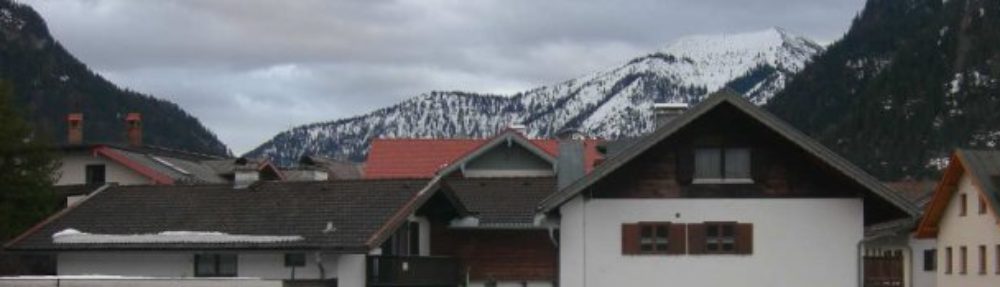
by German wood houses
-
Jason Calacanis’es thoughts about buying real estate
Daily Links
-
edit file /usr/bin/firefox and added the comment:export XLIB_SKIP_ARGB_VISUALS=1
-
The full John Haller !
-
Ian is, as Doc Searle pointed out (in LJ), the second half of Debian
-
We’re committed to reinventing everything we need until the free software stack is a genuinely complete computing universe
Conspiracy
I know it’s history now, but it’s so nicely put:

Daily Links
-
Dauph’lib du 06/12
-
le comptoir de l’aventure > librairie & équipements de voyage
-
Wired 15.01: The Perfect Human
-
Wired 15.01: The Perfect Human
-
EV hacks
-
From Straw Bale Houses to Light Straw/Clay Infill
-
Arbre et Paysage РGers РPlantation de haies et arbres isol̩s
-
Le portail architecture, urbanisme et environnement en Midi-Pyrénées
-
valdez fairbanks trail (Alaska)
Daily Links
Graver un CD sous ubuntu
Suite à une erreur de jugement dans le partitionnement initial de ma bête, je ne peux installer ubuntu 6.10 « edgy eft » car ma partition /user est presque pleine. Pour repartitionner, rien de tel que de booter sur un live CD avec gparted, aussi ai-je tenté de graver gparted-livecd-0.3.3-0.
Après avoir installé un graveur sur ma boite, ça marche pas! Impossible de graver (mais le graveur marche très bien comme lecteur).
Quelques tatonnnements plus tard, et avec l’aide de ce thread sur forums.ubuntu-fr.org et de cette page, nous avons fait:
- édité le fichier /etc/fstab (
sudo nano /etc/fstab) pour vérifier le montage - lancé cdrecord pour vérifier si le graveur est bien reconnu
sudo cdrecord -scanbus dev=/dev/hdd
qui donne :
Cdrecord-Clone 2.01.01a01 (i686-pc-linux-gnu) Copyright (C) 1995-2004 Joerg Schilling
NOTE: this version of cdrecord is an inofficial (modified) release of cdrecord
and thus may have bugs that are not present in the original version.
Please send bug reports and support requests to.
The original author should not be bothered with problems of this version.
cdrecord: Warning: Running on Linux-2.6.15-23-386
cdrecord: There are unsettled issues with Linux-2.5 and newer.
cdrecord: If you have unexpected problems, please try Linux-2.4 or Solaris.
scsidev: '/dev/hdc'
devname: '/dev/hdc'
scsibus: -2 target: -2 lun: -2
Warning: Open by 'devname' is unintentional and not supported.
Linux sg driver version: 3.5.27
Using libscg version 'debian-0.8debian2'.
cdrecord: Warning: using inofficial version of libscg (debian-0.8debian2 '@(#)scsitransp.c 1.91 04/06/17 Copyright 1988,1995,2000-2004 J. Schilling').
scsibus1:
1,0,0 100) 'IDE-CD ' 'R/RW 4x4x32 ' '1.3B' Removable CD-ROM
1,1,0 101) *
1,2,0 102) *
1,3,0 103) *
1,4,0 104) *
1,5,0 105) *
1,6,0 106) *
1,7,0 107) *
Jusque là tout va bien, mais la gravure (via gnome) ne fonctionne pas - éditer /etc/default/cdrecord (
sudo nano /etc/default/cdrecord) et modifier la ligne qui commence par CDR_DEVICE pour lireCDR_DEVICE=/dev/hdc(ça, c’est sous dapper, avec un kernel>2.4. Les liens indiqués plus haut font souvent référence à des kernels plus anciens, et la manip est alors un peu différente).
il est semble-t-il possible de modifier également la ligne qui commence par CDR_SPEED pour lireCDR_SPEED=4(dans mon cas, puisque le graveur est un 4x4x32, et qu’il grave donc à la vitesse maxi de x4) - lancer la gravure (en ligne de commande !) avec la commande :
sudo cdrecord -v dev=/dev/hdc speed=4 /chemin/vers/gparted-livecd-0.3.3-0.iso.
It works !
Daily Links
-
personal weblog of Douglas Johnston, a consultant, project manager, multimedia developer, writer, and self-professed education geek. He is probably best known as the creator and maintainer of the D*I*Y Planner and its community-driven website DIYPlanner.c
-
provides the convenience of a Filofax(tm) planner book with the incredible versatility of the D*I*Y system
-
The Post-It HipterPDA trick
-
by hyalineskies. Includes review of different GTD systems.
-
A simplified GTD system with relatively little actual organising. May be useful if you fancy Doing GTD Without Doing GTD.
-
list of Douglas Johnson’s daypack gear for taking into the woods.
-
Starting tomorrow December 31st 2006, reading a DVD protected with CSS (as most DVD are) is illegal in France when it is done with a software allowing to circumvent the protection, such as VLC or mplayer which can both use the libdvdcss library. Today’s
-
For those of you looking to get your child into computing, I highly recommend Linux. Be forewarned, it’s not Windows, you probably want to be a pretty savvy user, but I am assuming since your reading [this] geeky blog, you probably are…
-
firefox, open office [.org], amarok, gimp, azureus [!], vlc, tomboy & f-spot…
-
Back Issues index (w/ link to some .html articles)
-
impressive link farm
-
1- An Incovenient Truth 5- Advances in solar power 6- Green roofs 7- Green prefab homes 8- LEED for homes 10-Green trade shows
-
LOHAS is an acronym for Lifestyles of Health and Sustainability, a market segment focused on health and fitness, the environment, personal development, sustainable living, and social justice. LOHAS companies practice « responsible capitalism » by providing

Scan to file
Jason Hunter: « [I]n 2002 I bought a document scanner, and it’s forever changed the way I manage paper assets. Every tax deductible receipt, every contract I’ve signed, every loan agreement, and basically every important document in my life has been scanned and stored as a multi-page TIFF file under my Perforce repository. A digital library of scanned documents makes everything immediately available, even when I’m on the road, with no cabinet required–all for the price of maybe 15 minutes a week scanning. I put documents to scan on top of the scanner itself and work through them when it’s late, I don’t feel like working, and I don’t feel like vegging. It’s fun the same way ripping CDs is fun: a mindless accomplishment. After scanning, the documents get piled unceremoniously into an 8.5"x11" box (just like before but this time without any guilt!). Each box represents one calendar year. I find the 10 ream printer paper boxes work marvelously. The papers need no extra organization in the real world because they’re organized online. I keep the paper copies in case of audit, at which point I’ll have the motivation to pore through the stack looking for the physical document that matches the digital file. » [x]
daher
Daher est une société multiforme qui s’occupe (aussi) de projection de forces sur les théatres d’opération, approvisionnement des forces en opération pour leur maintien en conditions opérationnelles, et retrait de forces en fin de mission (Recrutement)
Daily Links
-
The Combined Operations Command made a huge contribution to the outcome of WW2 by planning, equipping and training for offensive amphibious operations Between the evacuation at Dunkirk in June 1940 and the D-Day invasion of June 1944.
The Command dre
-
This instructable shows how to wire up one or more LED’s in a in a basic and clear way. Never done any work before with LED’s and don’t know how to use them? Its ok, neither have I.
-
Association qui a pour objet de créer sur Internet une communauté regroupant les amateurs de pèlerinage et les différents intervenants de la route de Compostelle,
avant, pendant et après le pèlerinage, et d ’apporter une assistance et des service -
Transport de bagages et de personnes
